You discover a business whose website is outdated.
To create a website for a business, you will need the following basic information from the busines owner:
- Address (to embed a google map)
- Phone Number
- Digital Photographs (various sizes)
- Customer Reviews (or links to Customer testimonies)
Step #1: Photographs
Take (or have someone give you) digital photographs of the business. Ideally, you want 4-5 good photographs.
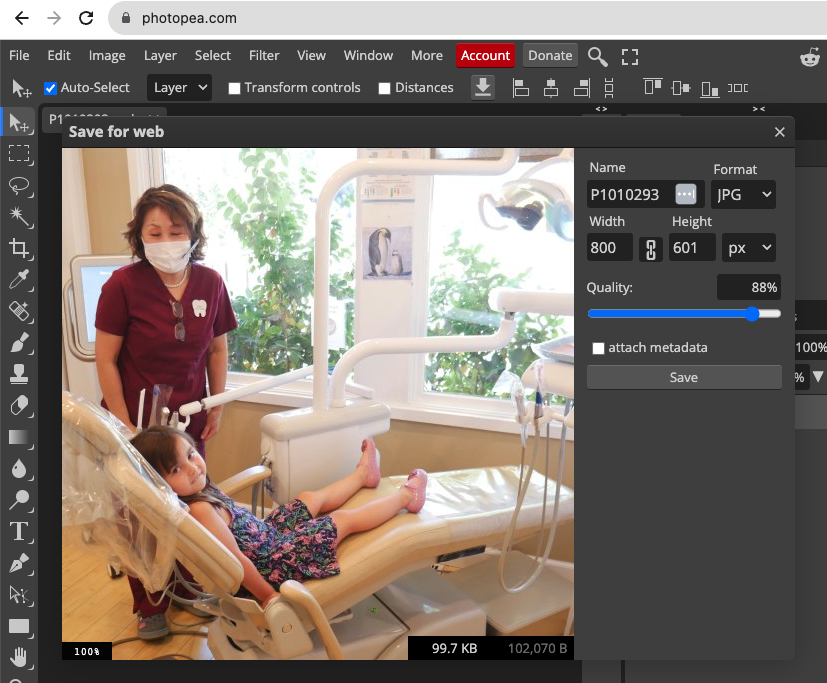
Shrink the file size of each photo to be under 100KB.
Use photopea.com to reduce the file size. File => Export as => JPG. Your goal is to make the photo appromiately width="800px" and file size 100KB maximum. (Note: if the image will be a background or full-screen-width, you should save as a larger file or it will look pixelated.
Step #2: Colors
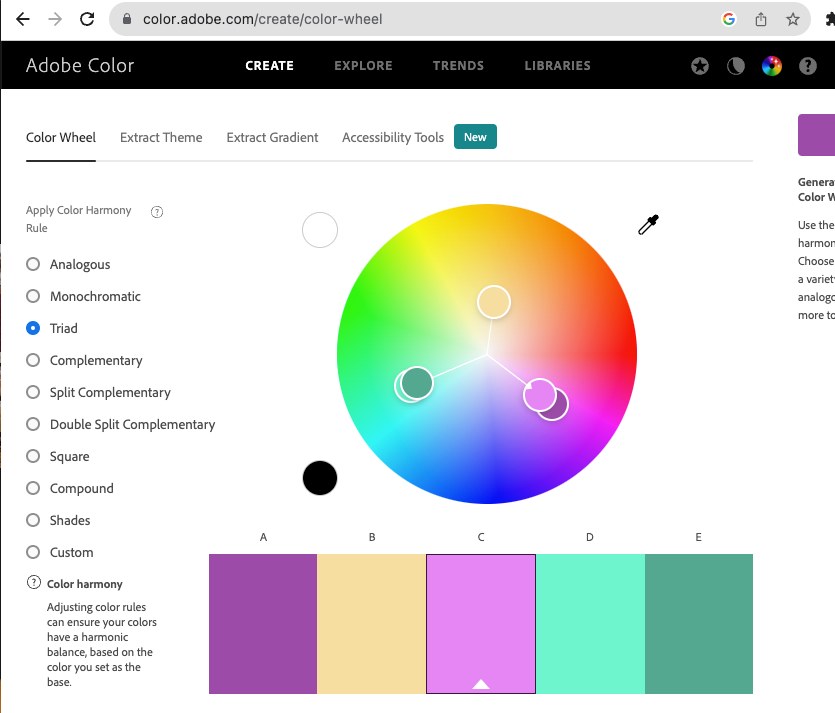
Look at the photos and determine a color scheme that will match the photos.
You should have 3 colors:
- Main (primary)
- Secondary
- Accent Color
Use Adobe Color Wheel (color.adobe.com/create/color-wheel to search for color ideas.
Step #3: Font
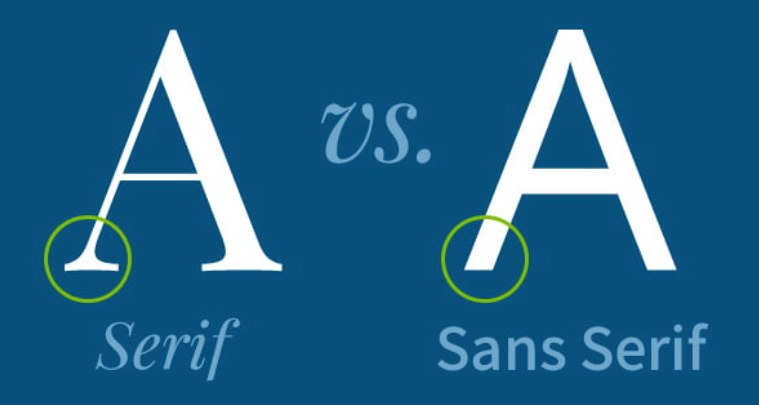
Select two font-styles for your website: Serif & Sans Serif.
Note: "sans" means without.
- Example Sans Seriff
- Arial
- Verdana
- Tahoma
- Example Seriff
- Times New Roman
- Georgia
- Garamond
Use Google Fonts (fonts.google.com/ to search for font ideas.
Step #4: Bootstrap
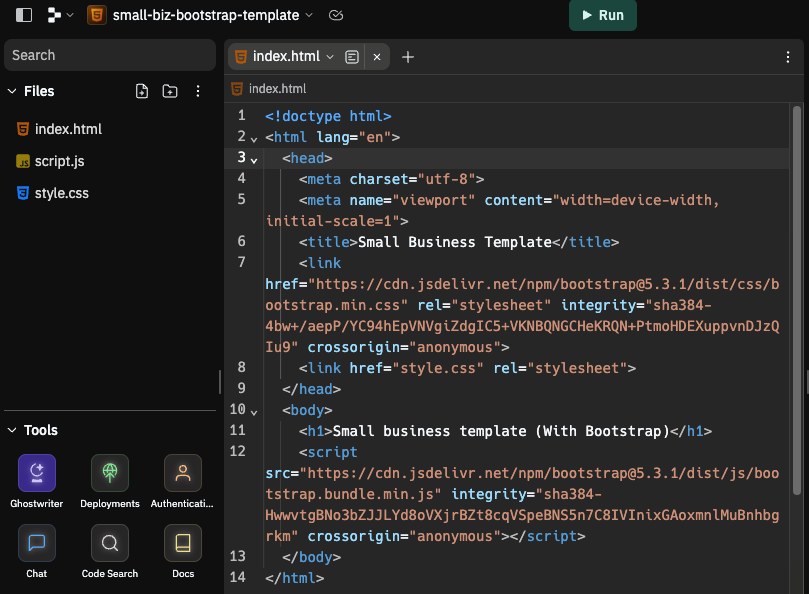
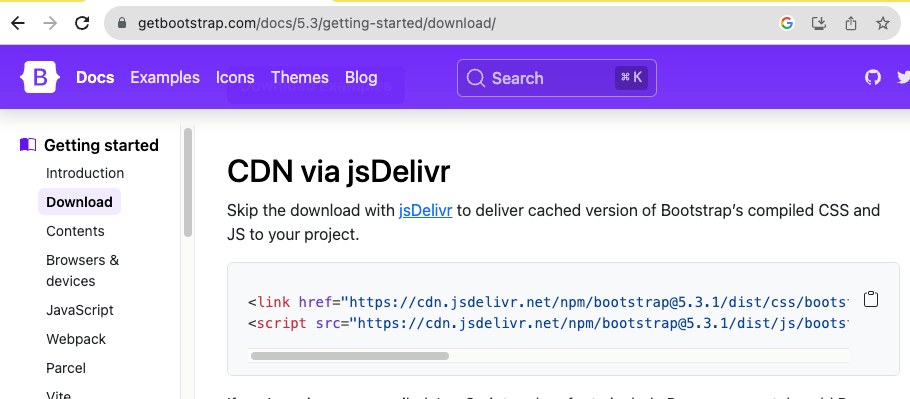
Create a new HTML project and include the "Bootstrap" library by linking the jsDelivr file it in the head. Note: You are linking (not installing) the Bootstrap library.
Bootstrap: Bootstrap
What is a CDN? It is a file that is hosted somewhere else, but your code has access to it. Hint: if you paste the URL into a website you will see the actual code. Click here to actually see it!
Step #5: Template
Feel free to "fork" my template to get started. Notice that I included a "style.css" file that will over-ride the bootstrap styles. (Why? Because it is linked below the bootstrap file in the head.)
Bootstrap: Bootstrap
The Bootstrap "CSS" link will go inside the head.
the Bootstrap "JS" link will go at the bottom of the body.