Purpose:
A finish line inidicates to the player that the level is over. They can visualize it in the scene and plan their course accordingly. The basic functionality of a finish line is to get the player to the next level.
Set up:
- Player is tagged as "Player"
- Player has a collider component, either a regular collider or a 2D collider
- Player has a rigidbody component, either a regular rigidbody or a rigidbody 2D
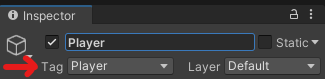
This tag will allow us to check to verify that the player was the game object that collided with the finish line.
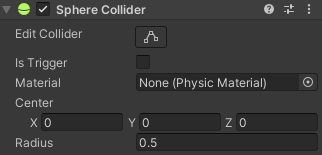
The collider, of any type, allows this object to read and make collisions in the scene.
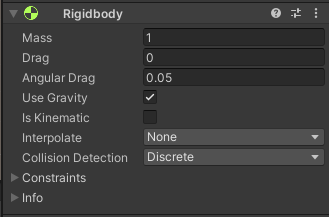
A rigidbody is required for the game object to be part of the physics simulation, this includes collisions which are necessary for the finish line to work.
Adding the finish line object:
- Add a new object that will be the finish line
- Rename the object to finish line
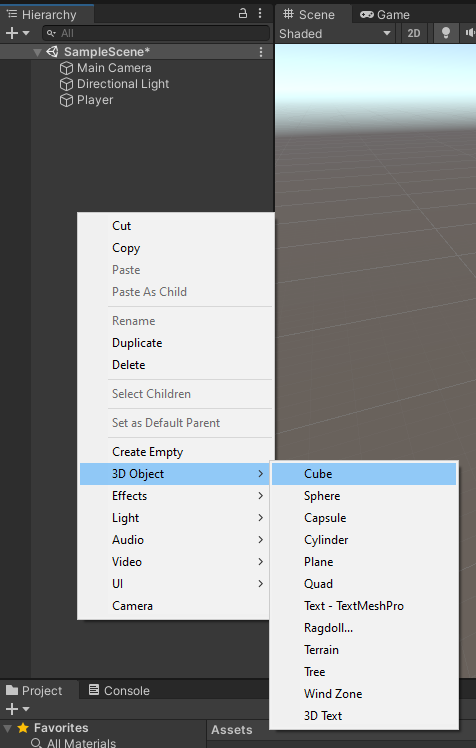
This object will be our finish line so choose a shape that works well for your game. Quads and Planes are not a good choice here as their collisions can be tricky.
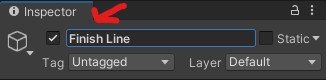
While this is not necessary for the code to work it is a good practice to get into as a game with hundreds of "cube(1)" objects is impossible to navigate quickly.